
Your whole catalog, organized the way you sell
Everything you sell lives in one catalog: a photo, a name, a price, a cost, a tax rate, a category, a unit, a SKU, and a barcode. Items you do not track, like a service or a fresh drink, can be marked unlimited so they never run out on the screen.
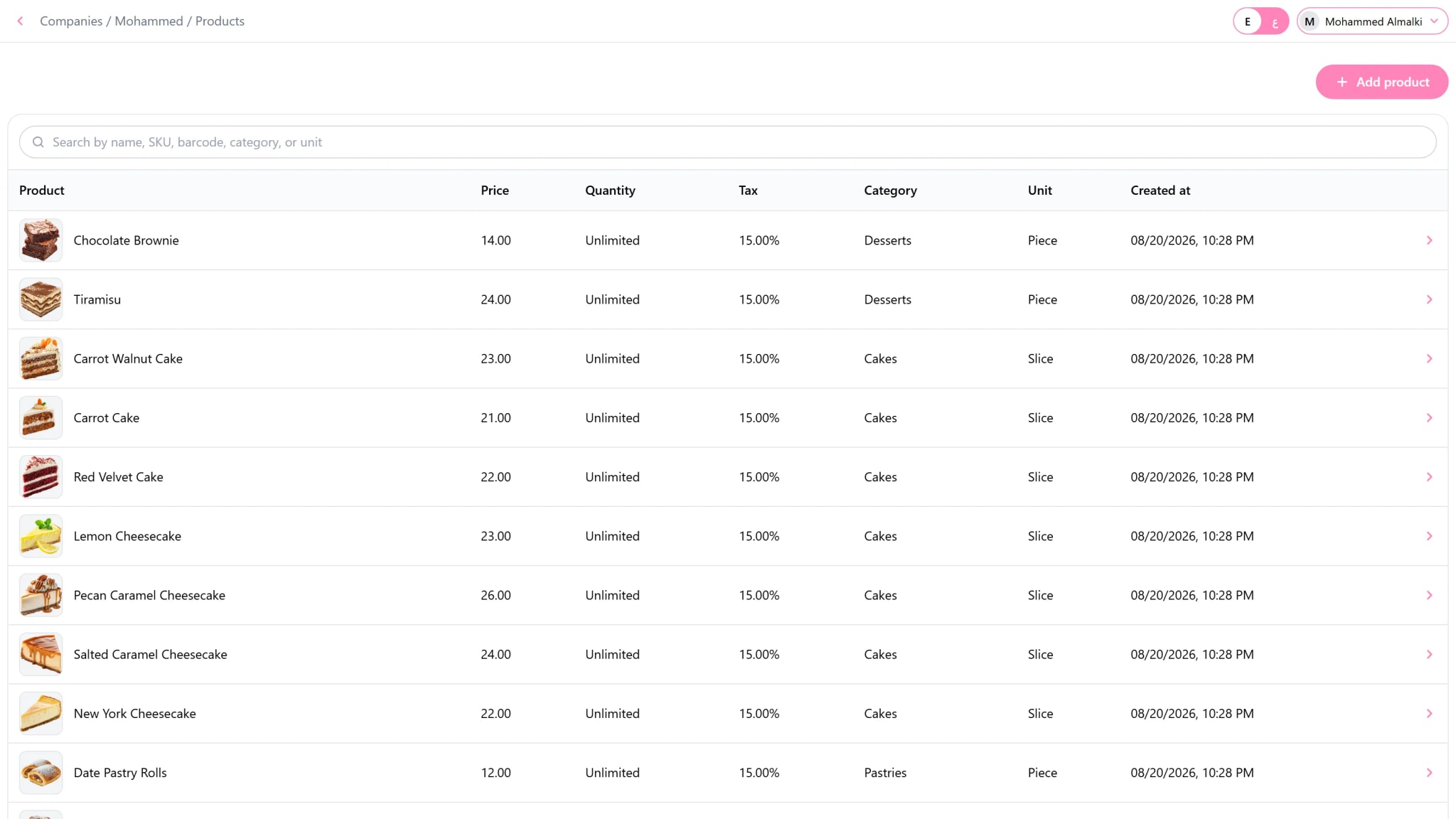
Barcodes and SKUs stay unique, so a scan always finds the right thing. If you run more than one business, you can copy items from one company to another and keep each one independent afterwards.
What you can do
Photos and categories
A visual catalog on the cashier screen, grouped your way.
Price, cost, and tax
Each item has its own tax rate, and cost updates when a purchase is confirmed.
Units
Piece, kilogram, box, or any unit you define.
Modifiers
Priced extras attached to the items that offer them.
Options
Choices for the whole invoice, like the table number or dine in and takeaway.
Barcodes and printed labels
Unique codes, and labels printed on your own label paper.
Copy between companies
Bring items from another company you own in one step.
How it works
Create your categories and units.
Add your items with their prices and photos.
Print labels and they are ready on the cashier screen.
Questions
Can an item have no stock tracking?
Yes. Mark it as unlimited and it sells without any quantity.
Can I change the catalog from the apps with no internet?
Yes. Changes are saved on the device and sent when the connection returns.