
A cashier screen your team understands in minutes
The point of sale is the screen your business lives on, so Alkaml keeps it simple: your items with their photos on one side, the invoice on the other. Tap an item or scan its barcode, set the quantity, choose the modifiers, and create the invoice. A new cashier can do this on the first day without training.
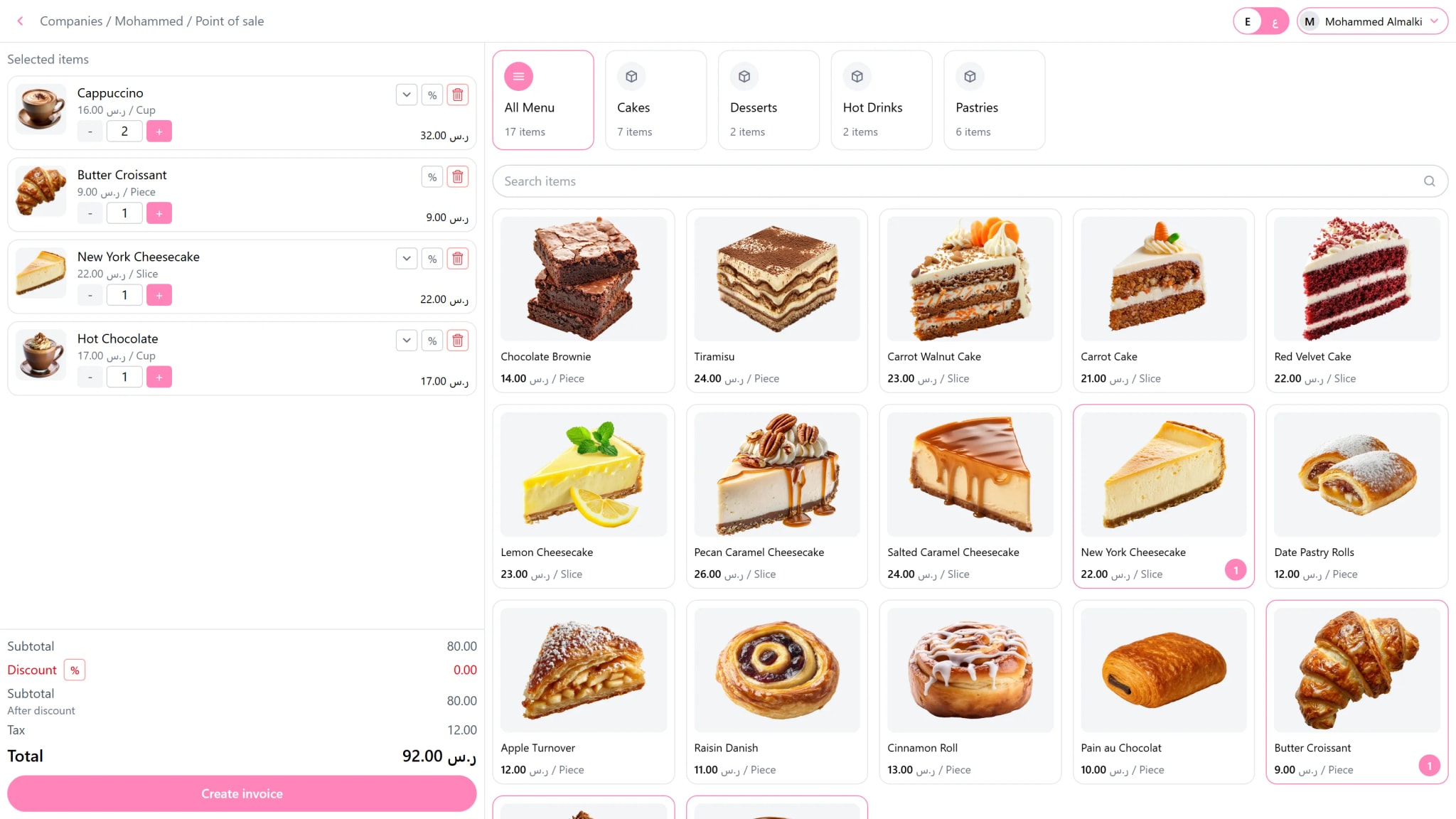
Behind that simple screen is a complete POS system. Tax is calculated on every line, discounts respect the limits you set for each employee, stock moves the moment the invoice is issued, and the receipt goes to every printer you chose. On the Windows and Android apps it all keeps working with no internet.
What you can do
Barcode scanning
Scan with any keyboard style scanner and the item lands on the invoice. If two items share a code, the screen asks which one you meant.
Categories and search
Browse by category with one tap, or search by name, SKU, or barcode across your whole catalog.
Modifiers and options
Extra cheese on an item, table 5 on the invoice. Modifiers carry their own price and options are printed on the receipt.
Item and invoice discounts
Percentage or fixed discounts on a line or the whole invoice, limited for each employee so nobody gives away more than you allow.
Cash and card
Take cash, or send the exact amount to a connected mada terminal so nobody retypes it.
Customers at the counter
Pick a customer or create one without leaving the sale, with the fields a tax invoice needs.
Printing to many printers
One sale can print a receipt at the counter and a ticket in the kitchen, each with only the items it should show.
Sells with no internet
On Windows and Android the sale is stored on the device first and sent to the server as soon as there is a connection.
How it works
Add your items with their prices, tax, and photos.
Connect a printer and open the point of sale.
Tap or scan, take the payment, and the receipt prints.
Questions
Which devices can run the point of sale?
Any modern browser, the Windows application, and the Android application, including Android payment devices with a built-in printer.
Do I need special hardware?
No. A phone, a tablet, or a computer is enough. Printers, barcode scanners, and card terminals are optional additions.
What happens if the internet goes down during a sale?
On the apps nothing changes for the cashier. The sale is saved on the device, the receipt prints, and it uploads when the connection returns.